How to Change Map Slot
- Brandyn Mowat
- Chris Todd
B58 / Supra How to change Map Slot (Mode)
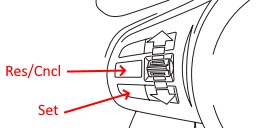
Hold Res/cancel on the cruise control (with the cruise control turned off)
The steering wheels differ between different markets. Make sure to choose the proper button for your region.
You should see the tachometer bump to 1000rpm if you're on the first slot.
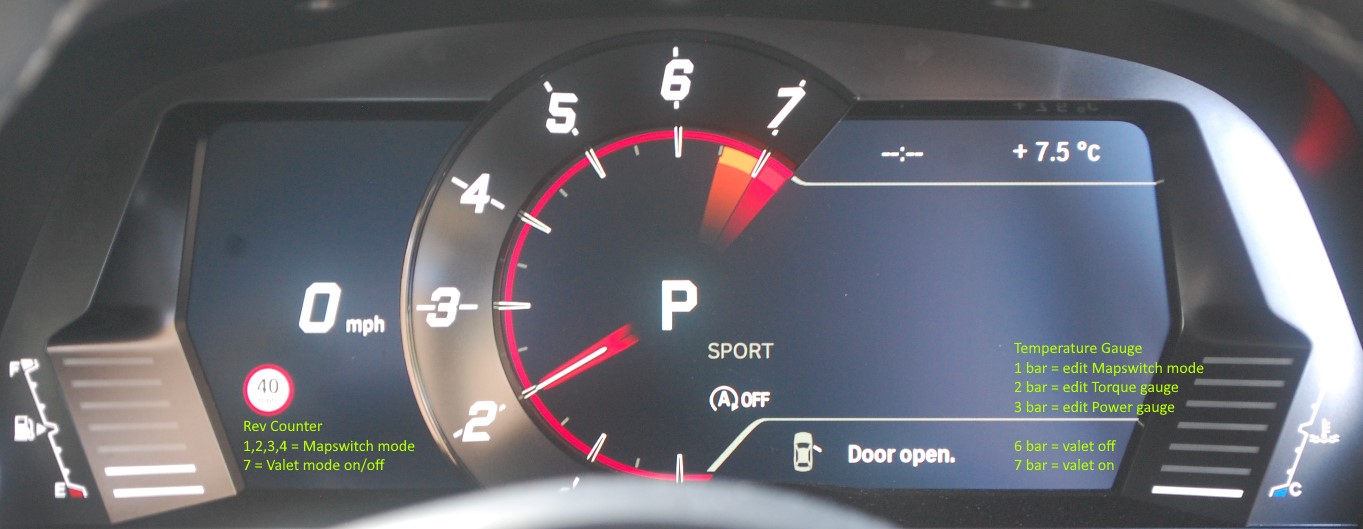
From there you can hit accelerate or decelerate on the cruise control to change map slots.
You should see the RPM jump to 2000 (mode 2) 3000 (mode 3) etc. for whatever is set up.
Once you've chosen the map you'd like to use hold the cancel button again for 3 seconds.
Revised Cruise Button Operation Method
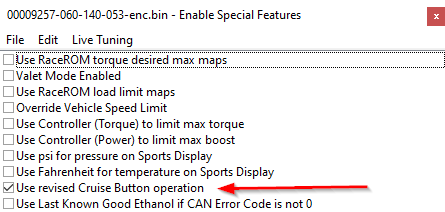
Some RaceROM patches have the option to select a "Revised Cruise Button Operation Method", if this is selected in the tuned ROM Map switching is controlled as detailed below.
To enter mapswitch mode, the driver must press the cruise rocker switch "full up" and hold it for a few seconds.
Then use up and down to adjust the map slot.
Changing Map Slot Via ECU Connect
After connecting to your vehicle using the dongle and selecting “My Car” at the main screen.
- Select "Map Switching" from the main menu.
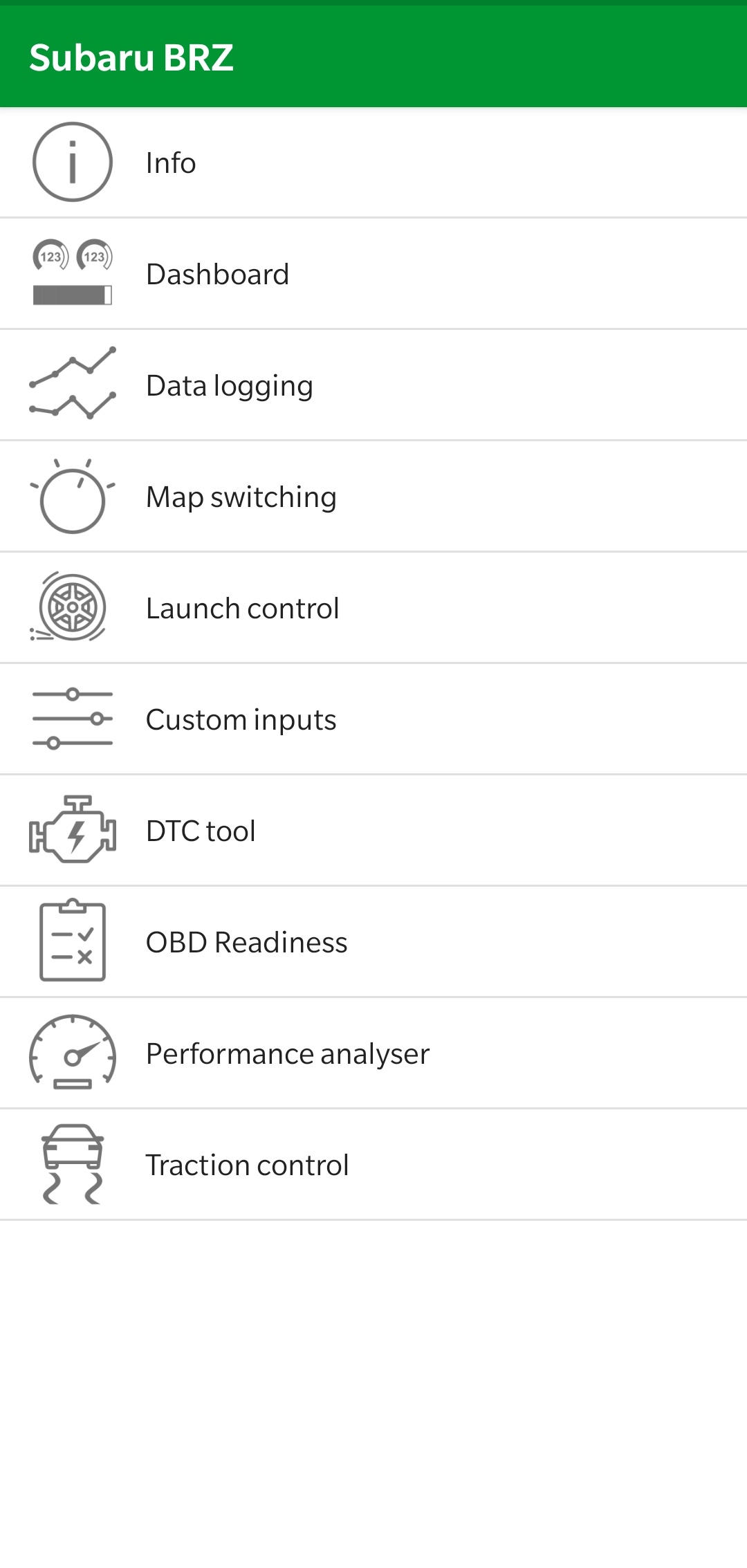
From there, choose which map slot you want to use.
Available map options/names may differ.
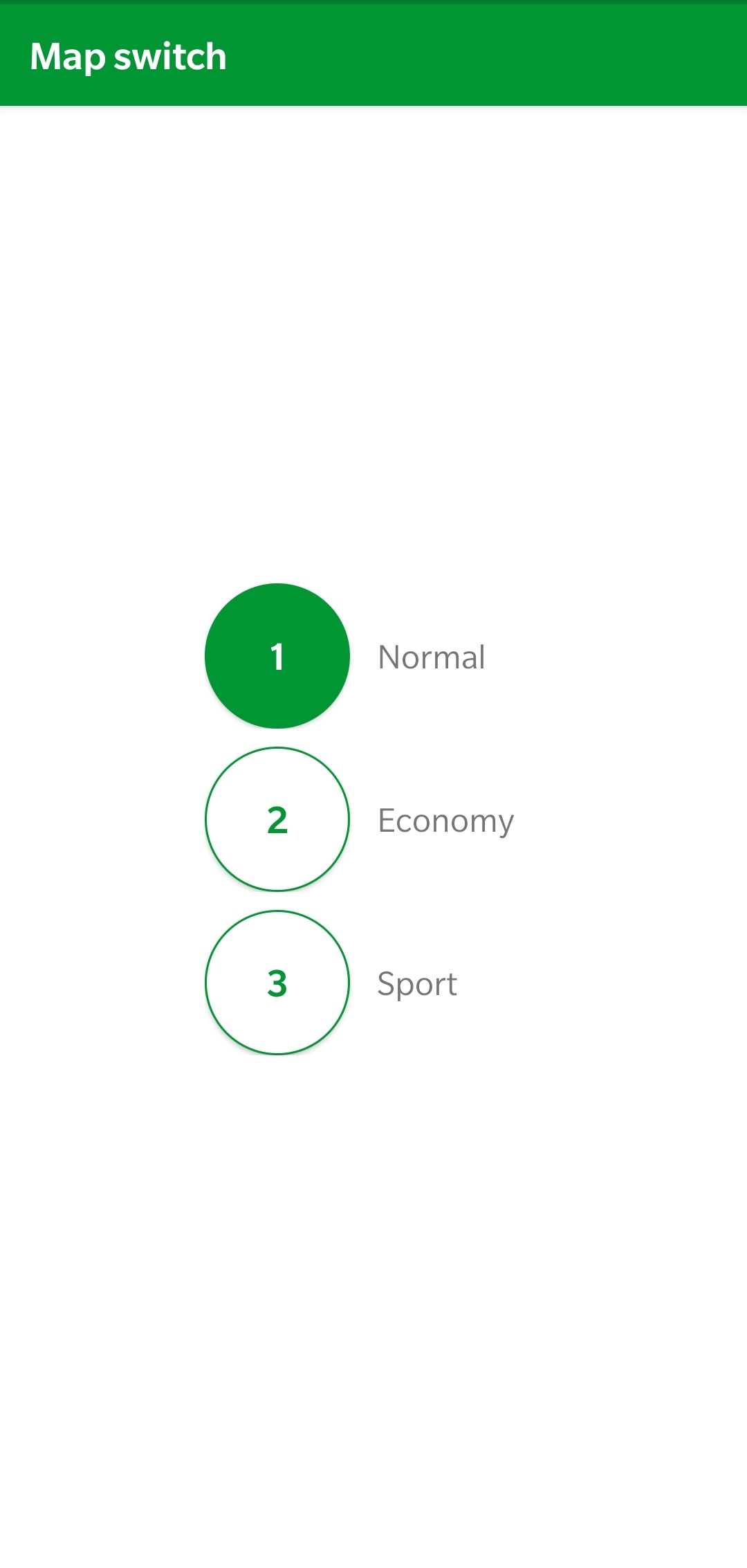
Selecting the slot will change the active map immediately.
BRZ Supplement
For the Gen1 FRS/BRZ/GT86 platform we also have other options for map switching. Allowing use of other switches for map switching.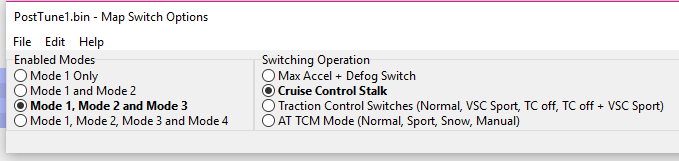
Switching with Max Accel+Defog
- Ignition must be ON (Car does not need to be running.
- To change modes hold the accelerator to the floor.
- turn on the rear window defogger while holding the gas pedal. Every time you press the button your mode number will increase by 1.
- Once selected the check engine light will flash in order to indicate which one has been set.
Switching with Traction Control Switches
Your mode will change based on the vehicle's traction and stability settings.
Traction Control State | VSC State | Ecutek Map Mode |
|---|---|---|
| Traction Control On | VSC Normal | Mode 1 |
| Traction Control On | VSC Sport | Mode 2 |
| Traction Control OFF | VSC Normal | Mode 3 |
| Traction Control OFF | VSC Sport | Mode 4 |
Switching with Automatic Transmission Mode
The ECU mode will change with the Automatic Transmission Setting
Automatic Transmission Mode | Ecutek Map Mode |
|---|---|
| Normal | Mode 1 |
| Sport | Mode 2 |
| Snow | Mode 3 |
| Manual | Mode 4 |